Schedules That Actually Keep Projects on Track
Custom home schedules are complex—dozens of phases, hundreds of tasks, and constant changes. BuildTools gives you a visual, intelligent scheduling system that handles dependencies, notifies stakeholders, and adapts when reality changes.
The Scheduling Struggle is Real
If any of these sound familiar, you're not alone.
- 1
Maintaining schedules in spreadsheets that nobody trusts
- 2
Calling and texting trades every time something changes
- 3
Clients constantly asking "when will X happen?"
- 4
Delays cascading through the project because dependencies weren't tracked
- 5
No baseline to measure actual progress against
Visual Scheduling Built for Builders
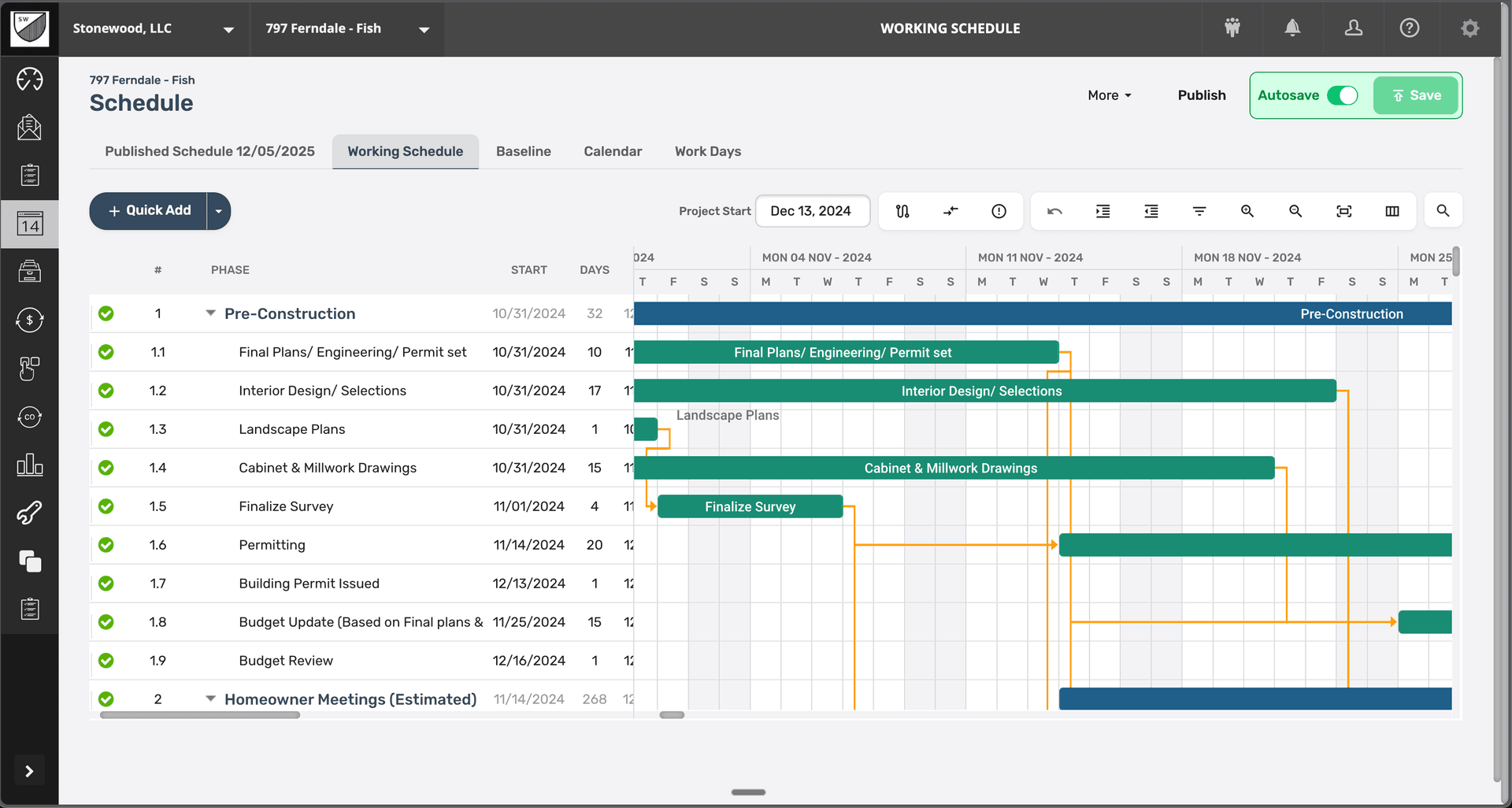
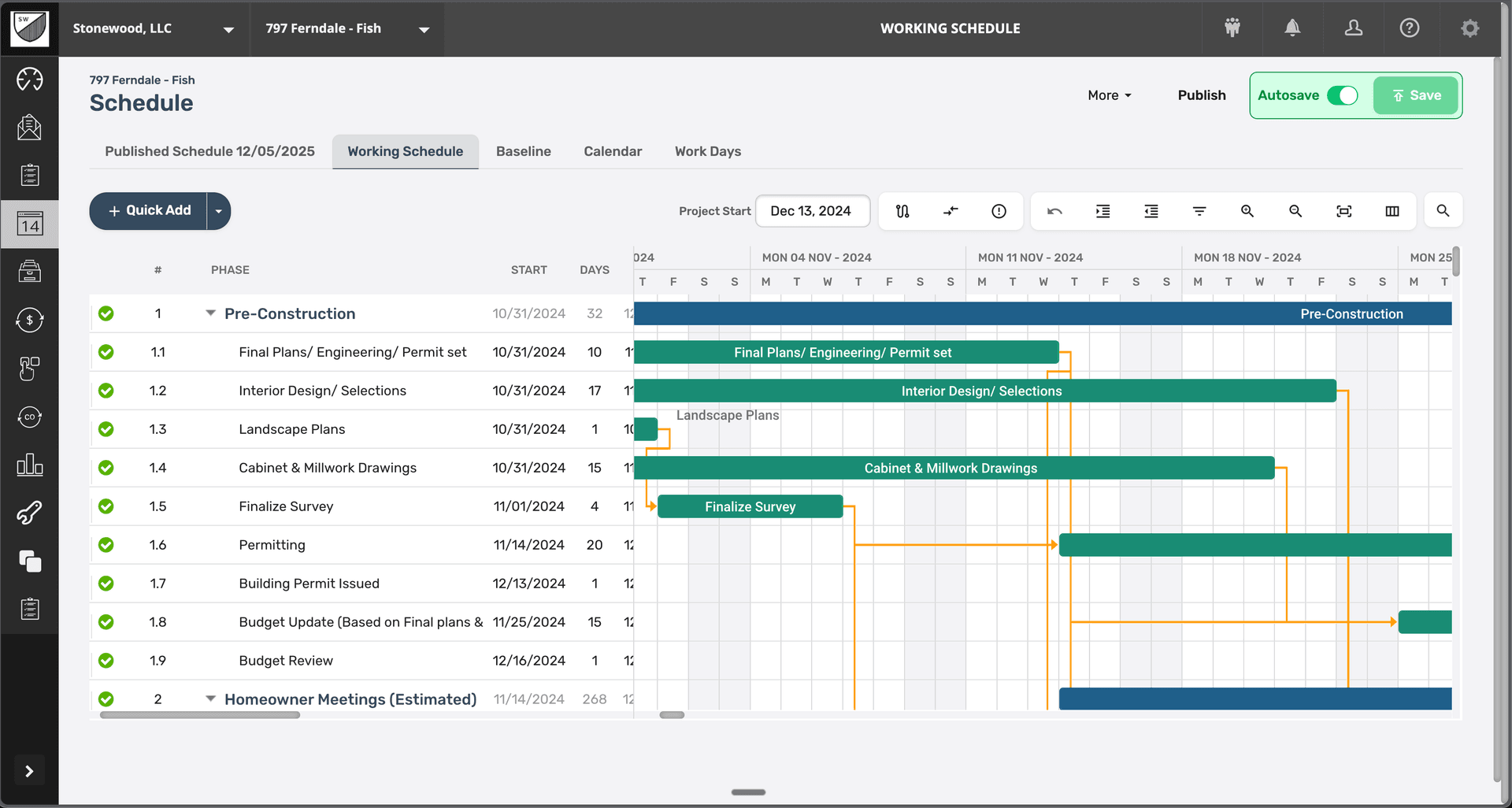
BuildTools scheduling combines the power of professional Gantt charts with construction-specific features. Set dependencies, track progress, publish updates, and let the system handle notifications—all from one intuitive interface.
Powerful Features for Scheduling
Everything you need to manage scheduling effectively.
Interactive Gantt Charts
Visualize your entire project timeline with professional Gantt charts. See phases, tasks, and dependencies at a glance. Drag and drop to adjust schedules.
Smart Dependencies
Link tasks together so delays automatically cascade through the schedule. When framing runs late, everything downstream adjusts automatically.
Phase-Based Organization
Structure schedules by construction phase—Pre-Construction, Foundation, Framing, MEP, Finishes. Collapse and expand to see the level of detail you need.
Baseline Tracking
Set a baseline schedule and track variance over time. Know exactly how your project compares to the original plan.
Publish & Notify
Publish schedule updates with one click. Trades and clients automatically receive notifications about tasks that affect them.
Multiple Views
Switch between Gantt, calendar, and list views. Work in whatever format makes sense for the task at hand.
See It In Action
Real interface, real data, real results.
Why Builders Choose BuildTools
Real benefits that impact your bottom line.
Eliminate Scheduling Chaos
One source of truth that everyone—your team, trades, and clients—can access. No more conflicting versions or outdated spreadsheets.
Reduce Trade Coordination Time
Automatic notifications mean fewer phone calls and texts. Trades know when they're needed without you chasing them down.
Keep Clients Informed
Clients can see the schedule anytime. They know what's happening, what's next, and when to expect completion.
Protect Your Timeline
Dependencies prevent scheduling conflicts. The system won't let you schedule drywall before rough-in is complete.
How Builders Use This Feature
Real scenarios from real custom home builders.
New Project Setup
Start with a template schedule based on your typical build process. Adjust durations and dependencies for the specific project, then publish.
Consistent, professional schedules in minutes instead of hours
Handling Delays
Weather delays foundation work by a week. Update one task, and BuildTools automatically adjusts all dependent tasks throughout the project.
Accurate schedules without manual recalculation
Weekly Trade Coordination
Review the upcoming week's tasks and publish updates. Trades receive automatic notifications with their scheduled items.
Fewer no-shows and better-prepared trades
"Our schedules used to live in my head and a messy spreadsheet. Now everything is visual, connected, and everyone can see it. Game changer."
Tom Rodriguez
Rodriguez Custom Builders
Frequently Asked Questions
Common questions about scheduling.
Can I create schedule templates for different project types?
How do trades access the schedule?
What happens when I need to change the schedule?
Explore Related Features
See how other BuildTools features work together.
Project Management
Custom home projects have hundreds of moving parts. BuildTools brings everything together in one powerful dashboard—alerts, schedules, budgets, and team activity—so you always know exactly where every project stands.
Learn moreCommunication
Email threads get buried. Texts disappear. Phone calls leave no record. BuildTools gives you a unified communication hub where every message is logged, searchable, and connected to your project data.
Learn moreBudget Tracking
Custom home budgets are complex—thousands of line items across hundreds of cost codes. BuildTools gives you real-time visibility into budget vs. actual, change order impacts, and remaining funds so you can protect your margins.
Learn moreReady to Transform Your Scheduling?
See how BuildTools can help your business save time, reduce errors, and build more profitably.