Win More Jobs with Better Estimates
Accurate, professional estimates win jobs. BuildTools estimating tools help you price confidently, present beautifully, and convert estimates to projects seamlessly—no re-entering data, no lost information.
Estimating Pain Points
If any of these sound familiar, you're not alone.
- 1
Hours spent building estimates in spreadsheets
- 2
Inconsistent pricing leading to lost margins
- 3
Unprofessional-looking proposals that don't match your quality
- 4
Re-entering all the data when an estimate becomes a project
- 5
No connection between estimates and actual project costs
Professional Estimates That Convert
BuildTools streamlines estimating with cost databases, templates, and professional formatting. When you win the job, convert to a project with one click—all your cost codes, line items, and details transfer automatically.
Powerful Features for Estimates & Proposals
Everything you need to manage estimates & proposals effectively.
Detailed Cost Codes
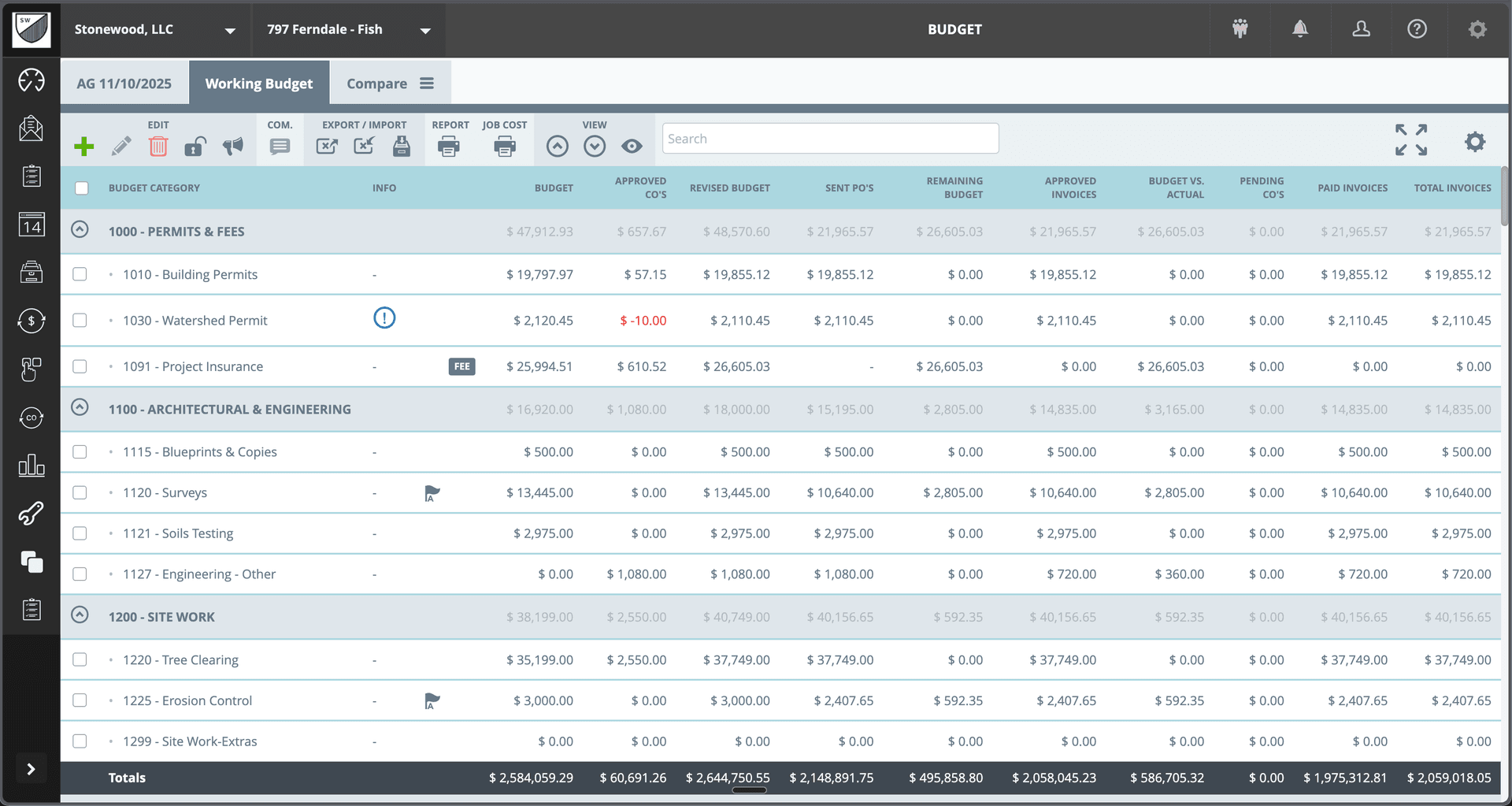
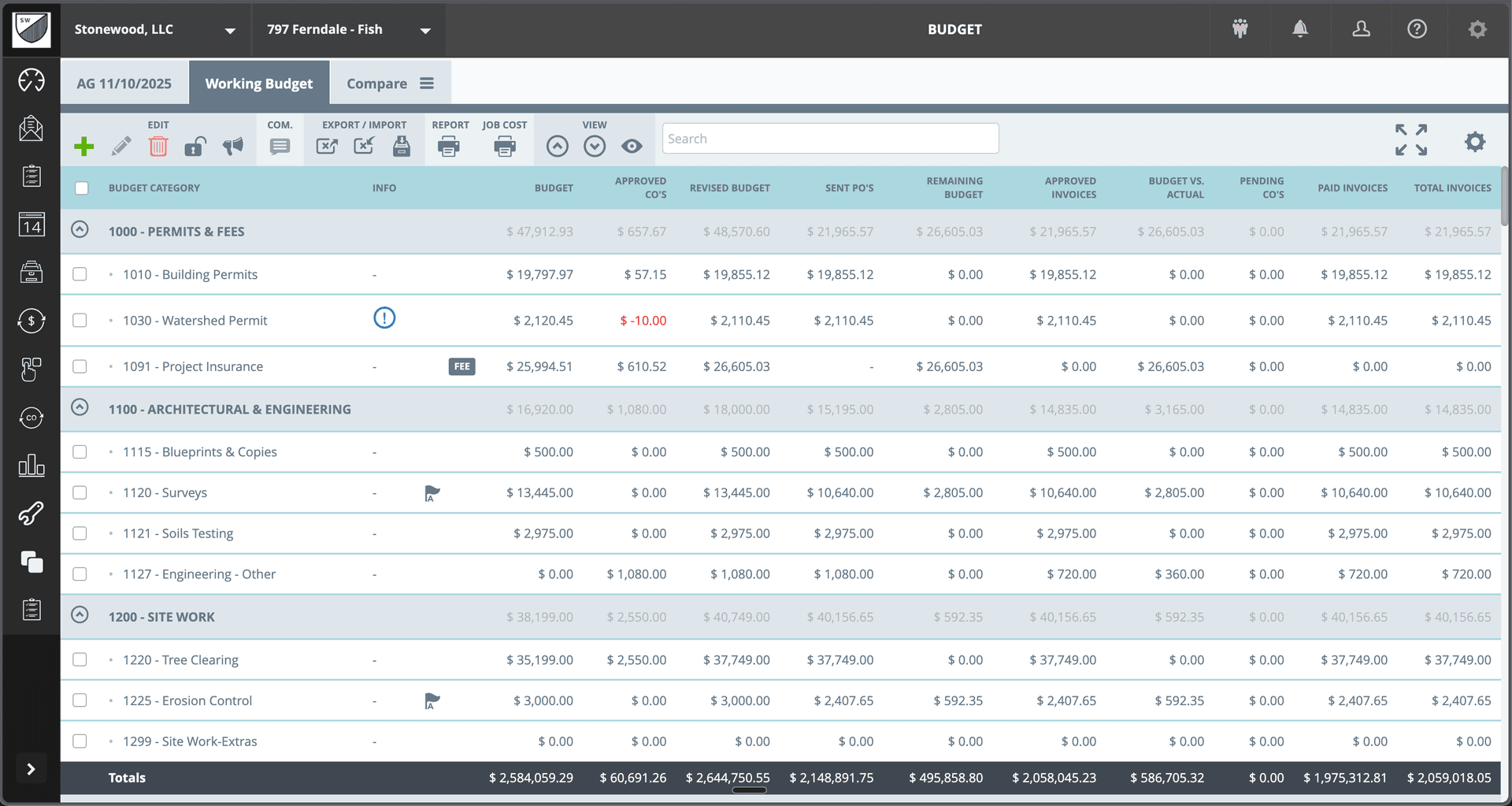
Build estimates with detailed cost codes organized by category. Permits, Architectural, Site Work, and every trade—all structured for accuracy.
Pricing Database
Build and maintain your pricing database. Pull from historical costs to ensure consistent, profitable pricing.
Professional Formatting
Generate beautiful, branded proposals that reflect the quality of your work. Present like the professional you are.
One-Click Conversion
Won the job? Convert your estimate to a project budget instantly. No re-entering data, no lost details.
Estimate Comparison
Compare estimates to actuals after projects complete. Learn where you price well and where to adjust.
Allowance Management
Set up allowances clearly in your estimates. Track actual selections against allowances throughout the project.
See It In Action
Real interface, real data, real results.
Why Builders Choose BuildTools
Real benefits that impact your bottom line.
Estimate Faster
Start from templates and pricing databases. Build detailed estimates in hours, not days.
Price More Accurately
Historical data and structured cost codes help ensure you don't miss line items or underprice work.
Present Professionally
Beautiful proposals show clients you're organized and capable. First impressions matter.
Seamless Project Start
No re-work when you win. Your estimate becomes your project budget automatically.
How Builders Use This Feature
Real scenarios from real custom home builders.
New Project Estimate
Start with your standard cost code template. Adjust quantities and pricing for the specific project. Generate a professional proposal.
Consistent, thorough estimates every time
Estimate Revision
Client wants to adjust scope? Modify the estimate and regenerate the proposal. All versions tracked.
Easy scope adjustments without starting over
Post-Project Analysis
Compare your estimate to actual costs. Identify where you over- or under-estimated and refine future pricing.
Continuous improvement in estimating accuracy
"Our estimates used to take days. Now we build them in hours with the confidence that we haven't missed anything. And when we win, it just becomes the project—no re-entering everything."
Mark Thompson
Thompson Custom Homes
Frequently Asked Questions
Common questions about estimates & proposals.
Can I create estimate templates?
How do I track allowances?
What happens when I convert an estimate to a project?
Explore Related Features
See how other BuildTools features work together.
Budget Tracking
Custom home budgets are complex—thousands of line items across hundreds of cost codes. BuildTools gives you real-time visibility into budget vs. actual, change order impacts, and remaining funds so you can protect your margins.
Learn moreFinancial Management
Change orders, invoices, purchase orders—construction financial management is complex. BuildTools streamlines every workflow with clear status tracking, easy approvals, and complete audit trails.
Learn moreProject Management
Custom home projects have hundreds of moving parts. BuildTools brings everything together in one powerful dashboard—alerts, schedules, budgets, and team activity—so you always know exactly where every project stands.
Learn moreReady to Transform Your Estimates & Proposals?
See how BuildTools can help your business save time, reduce errors, and build more profitably.